
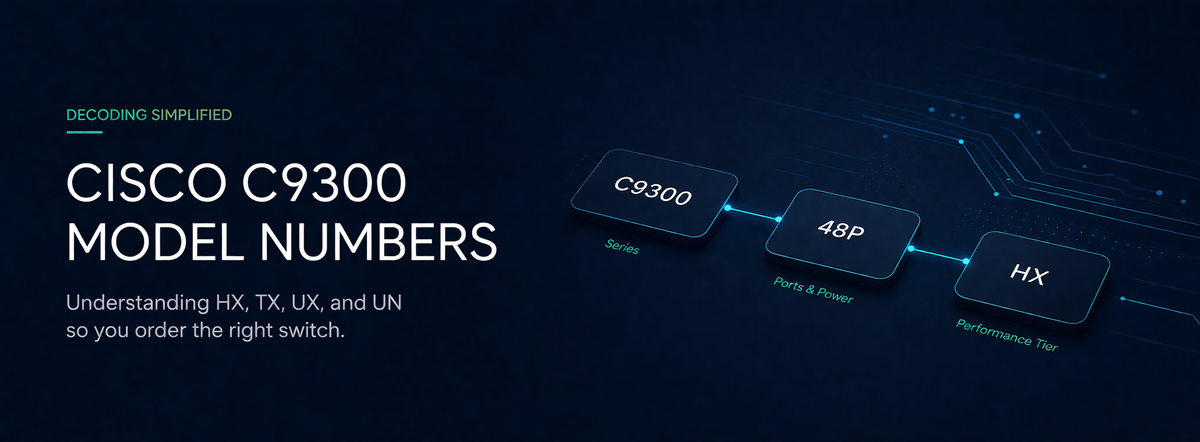
Decoding Cisco C9300 Model Numbers: What HX, TX, UX, and UN Actually Mean
Cisco's naming convention for the Catalyst 9300 series packs a lot of information into a short string. Here's how to read it—so you order the right switch the first time.
The Cisco Catalyst 9300 is one of the most widely deployed enterprise access switches on the market. It's also one of the most confusing to spec. Between the C9300, C9300X, and C9300L families—and a long list of suffixes like HX, TX, UXM, and UN—it's easy to order the wrong SKU and end up with the wrong port speeds, the wrong power budget, or stacking hardware that won't talk to the rest of your stack.
This guide breaks down the naming scheme so you can decode any C9300 model number on sight.
The Three Platform Tiers
Before looking at individual suffixes, it helps to understand which family you're dealing with. The Catalyst 9300 series actually includes three distinct hardware platforms:
- Cisco Catalyst 9300 — The standard modular-uplink access switch. Supports StackWise-480 (480 Gbps stacking bandwidth) and modular network modules for 10G, 25G, or 40G uplinks. This is the workhorse platform for most campus deployments.
- Cisco Catalyst 9300X — The high-performance variant. Doubles stacking bandwidth to 1 Tbps with StackWise-1T, adds support for 100G uplinks, includes 100G hardware IPsec encryption, and offers enhanced CPU and memory for on-box application hosting. Built for environments that need more power, more speed, or branch-in-a-box consolidation.
- Cisco Catalyst 9300L — The fixed-uplink, lower-cost option. Uses StackWise-320 (320 Gbps) and ships with fixed 1G or 10G uplinks instead of modular bays. A solid choice for budget-conscious deployments where uplink flexibility isn't a priority.
Reading the Suffix: What Each Letter Means
Every C9300 model number follows the same basic pattern: C9300[X/L]-[port count][suffix]. The suffix tells you exactly what kind of ports are on the front panel.
Here's the full decoder:
- T — 1G copper, data only. No Power over Ethernet.
- P — 1G copper with PoE+ (30W per port). The standard choice for access points and VoIP phones.
- U — 1G copper with Cisco UPOE (60W per port). Needed for higher-power devices like thin clients and connected displays.
- UX — Multigigabit (1G/2.5G/5G/10G) with UPOE. The go-to for Wi-Fi 6/6E deployments where access points need more than 1G of backhaul.
- UXM — Mixed multigigabit and 1G UPOE ports on the same switch. Useful when only some ports need multi-gig speeds.
- H — 1G copper with UPOE+ (90W per port). Available on both C9300 and C9300X platforms. Designed for environments that don't need multi-gig speeds but do need maximum power for demanding endpoints like digital signage, PTZ cameras, and LED lighting.
- HX — Multigigabit 10G with UPOE+ (90W per port). The highest power and speed density in the 9300 family—built for environments with power-hungry endpoints and high-bandwidth wireless infrastructure.
- TX — 10G copper, data only (C9300X only). Purpose-built for high-speed server or storage connectivity without PoE.
- S — 1G SFP fiber. For fiber-to-the-desk or connecting to fiber-only environments using the right transceivers.
- Y — 25G SFP28 fiber (C9300X only). High-speed fiber downlinks for demanding access or micro-aggregation roles.
- UN — Multigigabit (up to 5G) with UPOE (60W). A step down from 10G multi-gig models like UX, providing 5 Gbps maximum port speeds for environments where full 10G per port isn't needed.
- UB / UXB — Higher-scale models with expanded forwarding table sizes (MAC, route, ACL). Designed for large, complex campus environments.
If you see an N at the end of a multi-gig model (e.g., C9300X-48HXN or C9300-48UN), that indicates the Multigigabit ports max out at 5 Gbps rather than 10 Gbps—an important distinction when sizing bandwidth for Wi-Fi 6E access points or other high-throughput endpoints.
Stacking Compatibility: The Gotchas That Cost Real Money
Stacking is where the 9300 naming scheme matters most, because mixing the wrong models can silently degrade your entire stack's performance—or prevent it from forming at all.
Here's what you need to know:
- C9300 + C9300X can stack together, but the entire stack drops to StackWise-480 speeds. You lose the 1 Tbps advantage of the 9300X. This is fine as a migration strategy, but not ideal as a permanent design. Make sure you're using compatible stacking cables (STACK-T1 type).
- C9300L cannot stack with C9300 or C9300X. The L series uses a completely different stacking connector (STACK-T3/T3A cables) and StackWise-320. Attempting to mix them will result in stack formation failure.
- Higher-scale models (UB, UXB) only stack with other higher-scale SKUs. You cannot mix a C9300-24UB with a standard C9300-24U in the same stack.
The bottom line: The suffix isn't just a product code—it determines your port speeds, power budget, stacking compatibility, and uplink path. Getting it right at the procurement stage saves you from costly rework, power supply mismatches, and performance bottlenecks after deployment.
Choosing the Right SKU for Your Deployment
If you're refreshing a campus network or building out new closets, the model number decision typically comes down to three questions: What do your endpoints need (1G? Multi-gig? Fiber?)? How much power per port do you require? And what uplink speed does your core switching infrastructure support?
For standard office environments with PoE phones and Wi-Fi 6 access points, a C9300-48P or C9300-48U handles the job well. For high-density wireless with Wi-Fi 6E APs drawing serious power and bandwidth, the C9300X-48HX gives you 90W UPOE+ and multi-gig speeds in a single platform. And for fiber environments or security appliance connectivity, the S and Y variants keep everything on glass.